In Dec 2023 I picked up a refurbished Lenovo ThinkPad T480 from Amazon for around £200. With this I decided it was time to return to Linux after a break of around 12 months. Previously I’d used Linux continuously for around 10 years or so.
The laptop comes with a quad core i5 and 16GB RAM and has been more than enough for my fairly basic needs. So far I’ve revisited Ubuntu, Linux Mint, Fedora, Arch Linux and OpenSUSE Tumbleweed. I plan to use this blog to share my thoughts, as well as creating articles on issues I’ve come across and how I’ve resolved them.
Currently I’m running Arch Linux with GNOME 46 – albeit customised with extensions. You can see my desktop screenshot below.
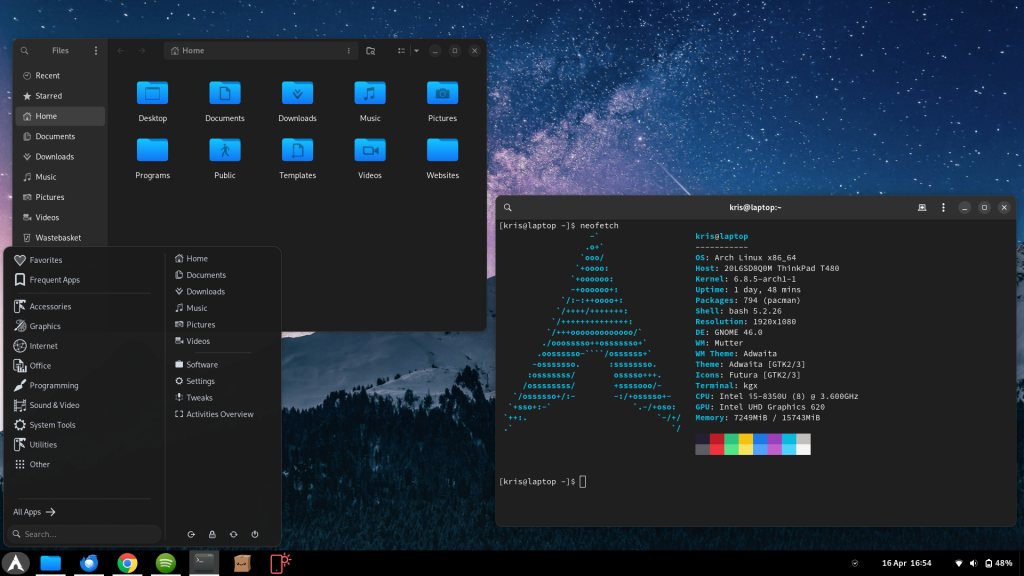
You can view the spec as well as information from the output of neofetch over on the right hand side. I have set up GNOME shell with a traditional panel and menu system as this is what I like, although I enjoy the modern feature-set offered with GNOME and subsequently Wayland on Arch.
I’ve used a handful of extensions to achieve this. First, you’re going to want to install GNOME extension manager, this isn’t available in the arch repositories so you can grab it from the AUR, or install it as a FlatPak. List of extensions below to achieve this setup:
- User themes
- Dash to panel
- Unblank lock screen
- Arc Menu
- Arch Linux updates indicator
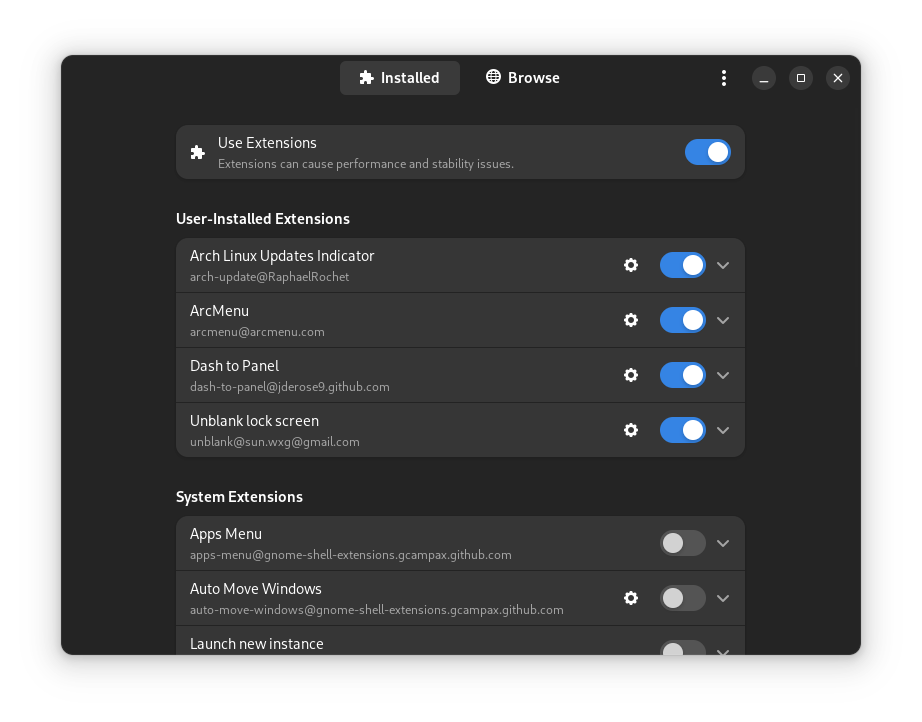
You can play around with the settings of each user extension to get your desired look and feel.
For icons I’m currently running Futura and am also very fond of Kora – both are deep blues that look fantastic on dark themed desktops. Note: to enable these icons, download and unzip the archive, then place the extracted files in /home/$USER/.icons, then open GNOME tweaks to apply the icons.
As I’m sure you can tell, I like traditional layouts with dark themes and plenty of deep blues. I’ve been in and around the Linux world since 2008 and have plenty to share, if you’re reading I hope you stick around.